I’ve been buying a bunch of random components to help elevate 3d printing projects into more than just trinkets. Combining printing with components like magnets, springs, bearings, or other basic electronics, you can start building really useful things that you’ll use every day.
The Project
I wanted to start small since I’m new to printing, so for my first useful project I decided to explore what I could make with an NFC tag. NFC tags are interesting in that they are powered by the device scanning them. So no need for batteries, or tethering it to specific spot in the house. They allow you to write a whole host of useful things that any modern smartphone can read with just a tap. To start brainstorming ideas, I downloaded the NFC Tools app to see what was possible.
Wifi credentials immediately stuck out to me. I know you iOS folks out there just magically air-drop credentials to each other inside your blissful walled garden, but for the rest of us plebeians, it can be a little complicated to figure out the best way to share them. Google phones have the ability to share via qr code, but pulling that up is a bit annoying, and support seems to vary between phones. So the idea of having something people can just tap to the back of their phone felt like a great convenience as well as a great conversation starter.
I was able to easily write the credentials through the app, and prove that it was working by “forgetting” my home network, and then scanning the tag. I instantly saw a prompt on my phone to “join network”. Success! But a small tag is pretty easy to lose, and uninteresting to look at, so I turned to my new 3d printer to make it more interesting.
The Print
I thought about a few different ideas ranging from a gorilla (rip Harambe), to a magic wifi wand, but I ended up landing on a key as a good form factor. I was able to find a model that had a hollow spot to put the tag. This meant I didn’t have to mess with gluing two halves together, or needing to just stick the tag on the outside of the print.
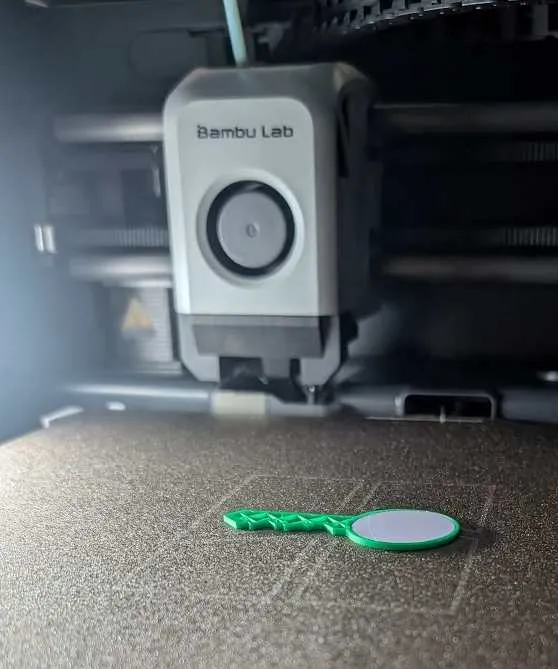
I just set the printer to pause at the layer right before the hollow spot was closed, plopped the tag inside, and resumed printing.
The Result
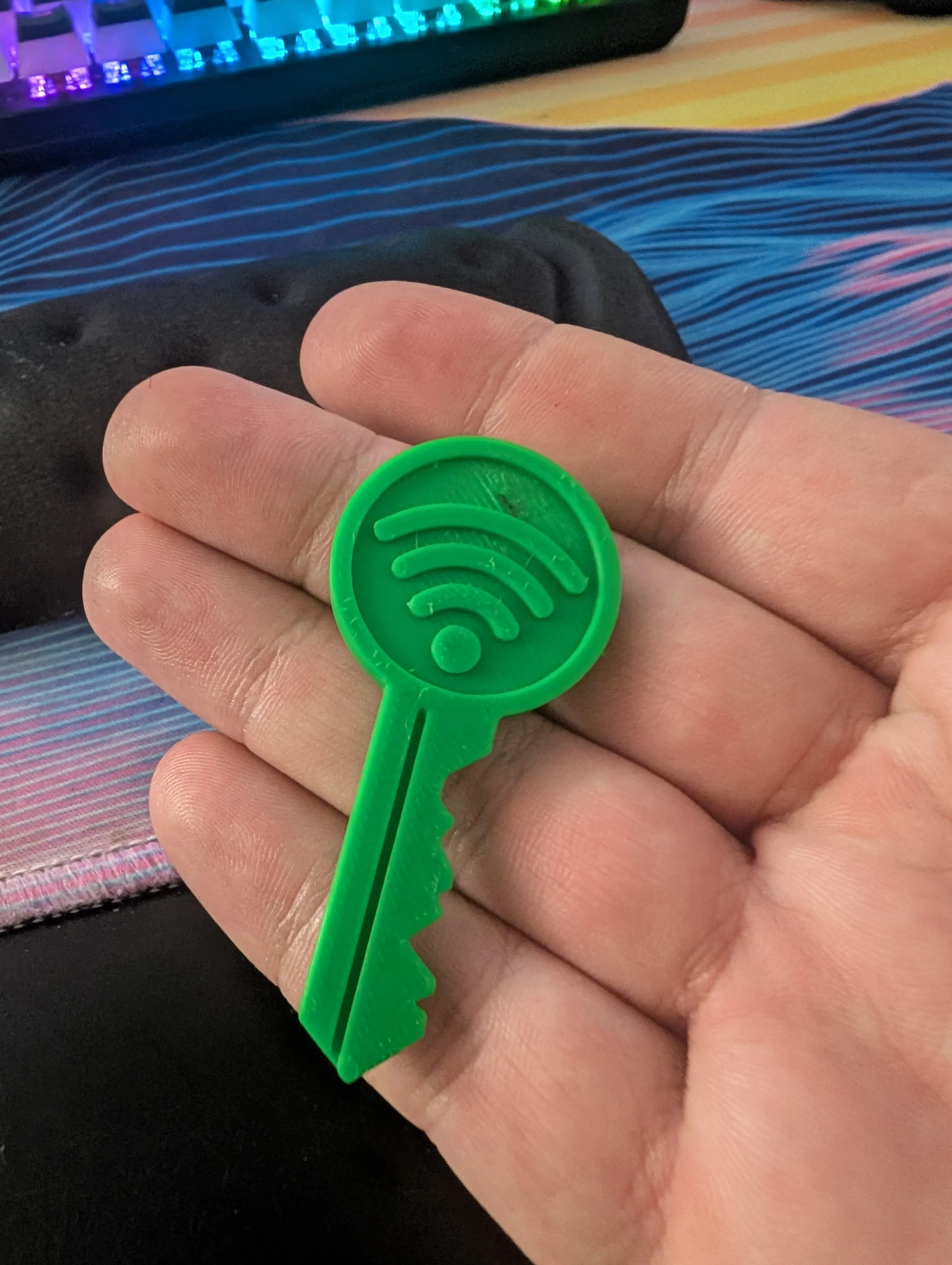
I’d say it turned out pretty great! The green color makes it hard to lose, the tag scans super well through the plastic, and now I have a fun way to share my hobbies while making sure my guests can get online. Best of all, I made something and had fun doing it.
Links
- The model I used for the key
- The NFC tags I bought
- NFC Tools for Android and iOS
Comments
Powered by Giscus (may need to disable adblockers)